
Wordfence vs Kadence Security vs Sucuri: What the Free Versions Include
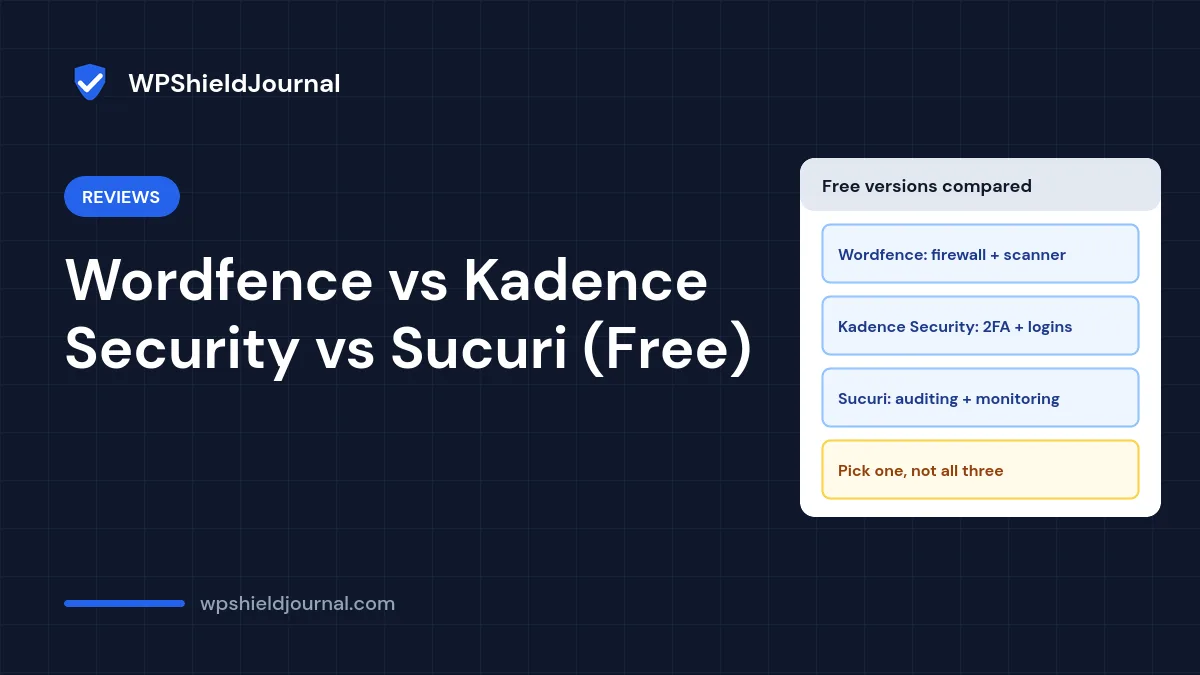
Wordfence, Kadence Security (formerly Solid Security and iThemes Security) and Sucuri Security are three of the most installed free WordPress security plugins. They are often compared as if they did the same job, but their free versions focus on quite different things. This comparison sets out what each free version includes according to its own WordPress.org listing, where each fits, and why you should pick one rather than stacking all three.
How we compared: We read each plugin’s official WordPress.org listing on 14 October 2026 and compared the features those listings describe. We have not installed, benchmarked or attack-tested these plugins on this site, and we have no affiliate relationship with any of them. Features change, so check the current listing before deciding.
Free WordPress security plugins at a glance
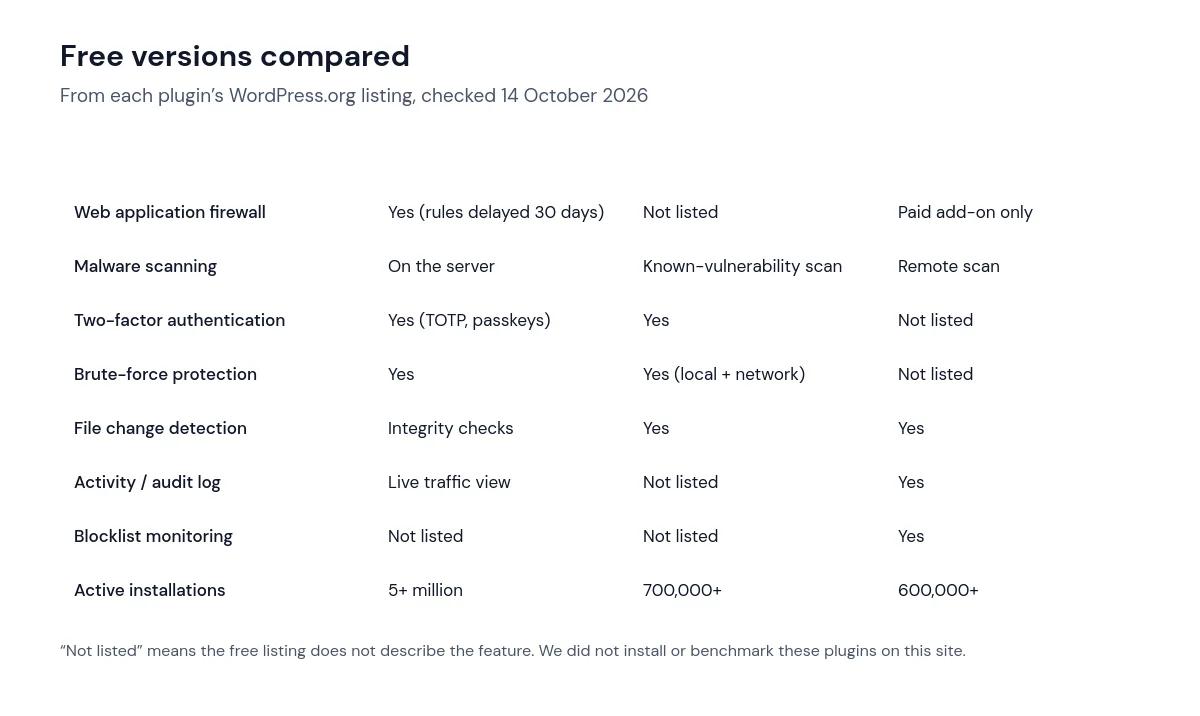
All three listings showed recent updates and compatibility with the current WordPress version when we checked: Wordfence 9.0.2, Kadence Security 10.0.5 and Sucuri Security 2.8.
Wordfence: firewall and on-server scanning
According to its WordPress.org listing, the free version includes a web application firewall, a malware scanner that checks core files, themes and plugins, integrity checks against WordPress.org versions, login security with TOTP two-factor authentication and passkeys, login CAPTCHA and brute-force protection.
The important limitation: the listing states that real-time firewall rule and malware signature updates are a premium feature and that the free version is “delayed by 30 days”. Free users are protected against known attack patterns, but newly discovered ones arrive a month later.
Good fit: site owners who want the broadest set of protections in one free plugin and can accept the 30-day delay. Consider: on-server scanning and the firewall run on your hosting account, which uses some server resources.
Kadence Security: logins, passwords and two-factor
The plugin now listed as Kadence Security (the same listing that used to be iThemes and then Solid Security) focuses its free version on account protection: two-factor authentication, password requirements, local brute-force protection, network brute-force protection shared across sites using the plugin, banning repeat offenders, file change detection, and a site scanner that checks core, plugins and themes for known vulnerabilities four times a day.
Its scanner looks for known vulnerable versions, which is different from scanning files for malware. It also offers advanced tools such as changing the database prefix and hiding the login URL; our wp-config.php security guide explains why we treat those as optional.
Good fit: sites where account takeover is the main risk, for example several editors and authors. Note that this site uses the Kadence theme; we have no relationship with the plugin and mention it only because of the name.
Sucuri Security: auditing and monitoring
The free Sucuri Security plugin is built around visibility: a security activity audit log, file integrity monitoring, remote malware scanning, blocklist monitoring, recommended hardening settings and post-hack actions such as resetting keys and passwords. Its listing states that the website firewall is “not included as a free option of the plugin” and is a separate paid product.
Remote scanning checks what visitors and search engines see, which complements but does not replace an on-server check.
Good fit: owners who want to know what changed and whether the site has been blocklisted, alongside good passwords and MFA from elsewhere.
Do not stack security plugins
Running two or three security plugins with overlapping firewalls, login protection or scanners tends to cause conflicts, duplicate lockouts and slower pages without adding much protection. Choose one main plugin. If you need a feature it lacks, such as two-factor authentication, use a dedicated plugin for that one feature and test it on staging. If something breaks afterwards, our plugin conflict guide shows how to isolate it.
No plugin replaces the basics: unique passwords, multifactor authentication, timely updates and verified off-site backups. Our security hardening checklist covers them.
Which one should you choose?
- You want one free plugin covering the most ground: Wordfence, accepting the delayed firewall rules.
- Your main concern is logins and user accounts: Kadence Security.
- You want monitoring, logs and blocklist alerts: Sucuri Security, combined with strong passwords and MFA.
- Your host already provides a firewall and malware scanning: you may only need two-factor authentication and good backups. Ask your host exactly what their tools cover.
Frequently asked questions
Do I need a security plugin at all?
Not strictly. A site with unique passwords, MFA, prompt updates, few plugins and verified backups is well protected. Security plugins add monitoring, login protection and scanning, which are especially useful if several people log in.
Will a security plugin slow my site down?
Features that run on every request, such as an on-server firewall or live traffic logging, use some resources. Measure before and after using the method in our slow site guide and switch off features you do not need.
Can these plugins clean a hacked site?
They can help detect problems, but cleaning usually needs manual investigation as well. See our guides to a hacked WordPress site and spam redirects.
Summary
The free WordPress security plugins compared here solve different problems: Wordfence offers a firewall and on-server scanning with delayed rules, Kadence Security concentrates on logins and two-factor, and Sucuri Security focuses on auditing and monitoring with a paid firewall. Pick the one that matches your main risk, avoid stacking them, and keep the basics in place.