WordPress Database Cleanup: What Is Safe to Remove and What Is Not
Database cleanup plugins promise a faster site with one click: delete revisions, transients, orphaned data and “unused” tables. Some of that is genuinely safe. Some of it can break plugins or lose data you need, and on many sites the speed gain is too small to notice. This guide explains what a WordPress database cleanup can safely remove, what needs care, and how to decide whether your site needs one at all.
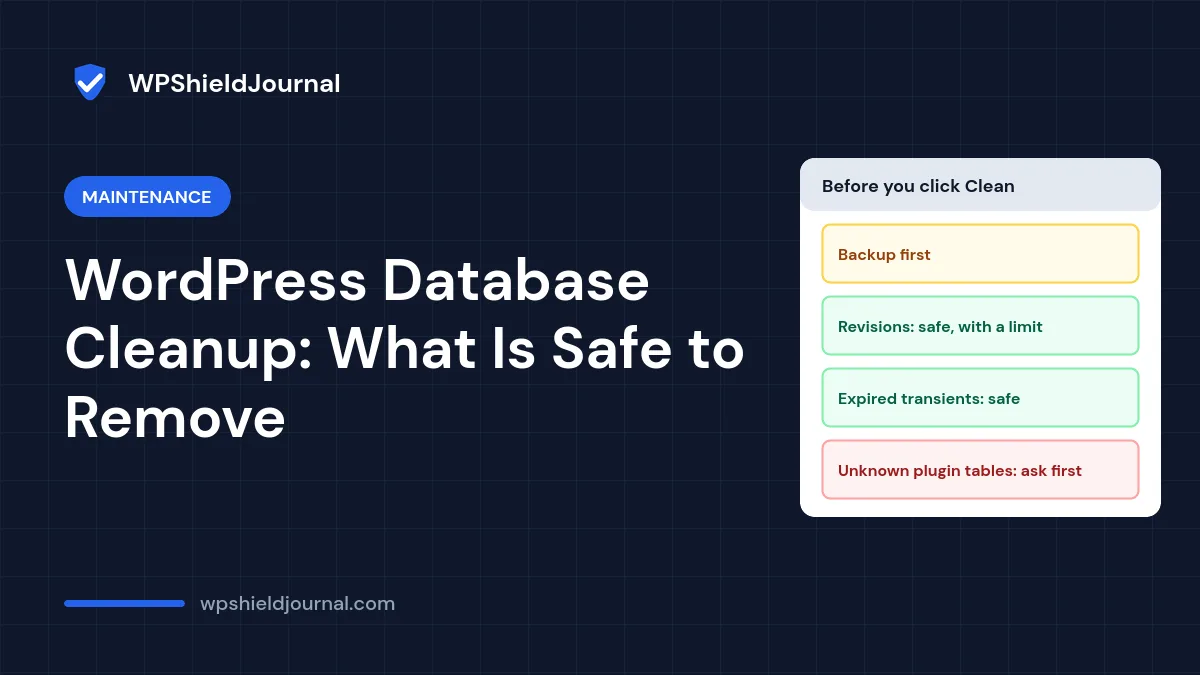
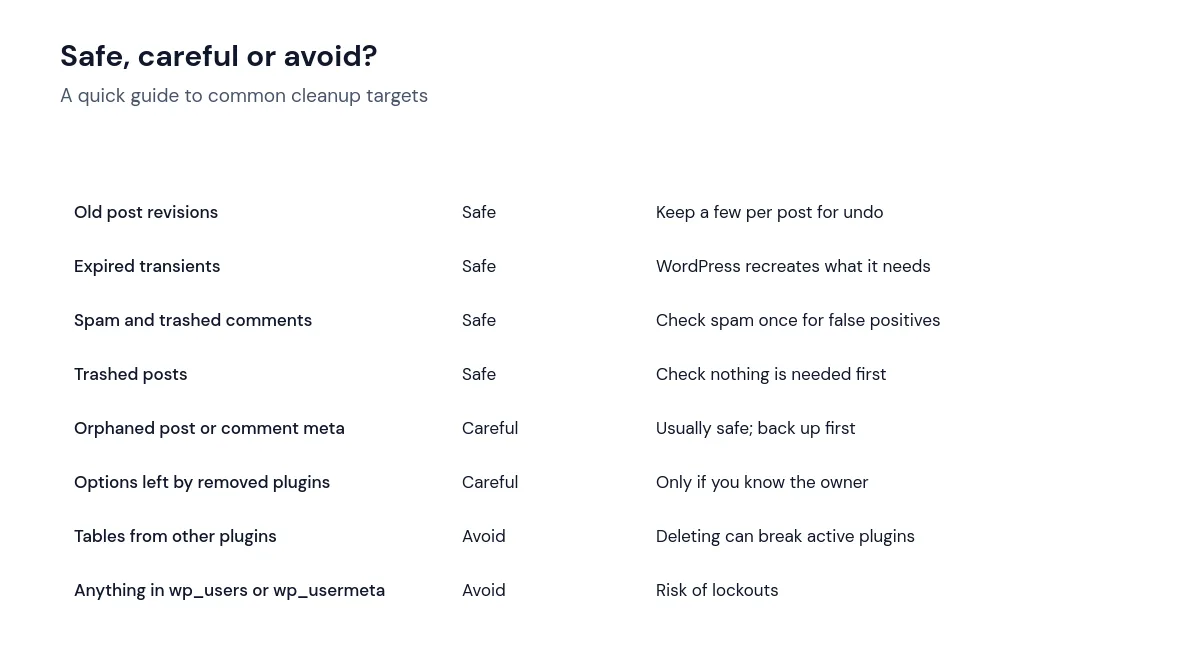
Quick answer: Back up the database first. Old post revisions, expired transients, spam comments and trashed items are safe to remove. Orphaned metadata and options left by deleted plugins need care. Never delete tables or options you cannot attribute to a plugin you have removed. For ongoing control, limit revisions with WP_POST_REVISIONS instead of repeatedly deleting them.
Does your site need a WordPress database cleanup?
Start by measuring. Here is what this site’s database contained when we checked:
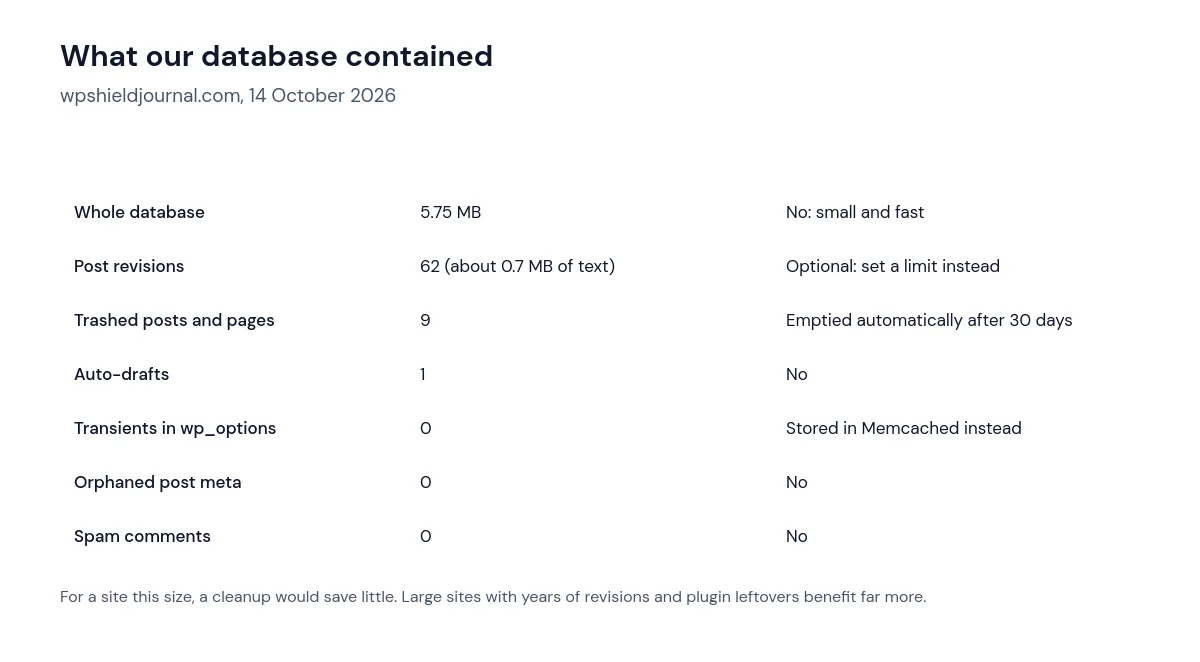
Two lessons from those numbers. First, a small database does not get meaningfully faster from cleaning; the queries WordPress runs use indexes, and a few hundred extra rows make little difference. Second, the “transients” many cleanup tools target were not in our database at all. This site uses a persistent object cache (Memcached), and WordPress stores transients there instead of in the wp_options table, so a cleanup tool would find nothing to remove.
A cleanup is most useful on older sites with years of revisions, many removed plugins, or large tables left behind by statistics, logging or form plugins. If Site Health warns about autoloaded options, that is a more targeted problem; see our guide to autoloaded options.
Always take a database backup before any cleanup, and confirm you can restore it. Cleanup actions are permanent. Our backup guide explains how to check the export is complete.
What is safe, what needs care and what to avoid
Post revisions
WordPress saves a revision each time you update a post, and by default keeps all of them. Revisions are your undo history, so do not remove them all. A sensible approach is to limit how many WordPress keeps by adding this to wp-config.php above the “stop editing” line:
define( 'WP_POST_REVISIONS', 10 );WordPress applies the limit when a post is next saved, removing the oldest revisions beyond the limit. To count revisions with WP-CLI:
wp post list --post_type=revision --format=countExpired transients
Transients are temporary cached values with an expiry time. Expired ones that remain in wp_options are safe to remove:
wp transient delete --expiredThe WP-CLI transient command also offers --all, which removes unexpired transients too. That is usually safe, because plugins recreate them, but it can briefly slow the site while caches rebuild.
Trash, spam and auto-drafts
WordPress empties the trash automatically: items in the trash are deleted after 30 days by default (the EMPTY_TRASH_DAYS setting). Spam comments can be emptied from the Comments screen; glance through them first for real comments caught by mistake.
Orphaned data and plugin leftovers
Orphaned post meta belongs to posts that no longer exist. Removing it is usually safe but rarely makes a noticeable difference. Options and tables left by removed plugins are where cleanups go wrong: a table that looks unused may belong to a plugin you still run, or to a must-use plugin you cannot see in the Plugins screen. Only delete leftovers when you can confirm which plugin created them and that it is gone. Many plugins offer a “remove data on uninstall” setting, which is the cleanest way.
Optimising tables
After deleting many rows, wp db optimize asks MySQL or MariaDB to reorganise tables and reclaim space. On small databases this changes very little. On large ones, run it at a quiet time, because tables can be locked while they are optimised.
Frequently asked questions
Will a database cleanup make my site faster?
Sometimes slightly, on large or neglected databases. For most small and medium sites, page caching and fewer plugins make a far bigger difference. Measure first with the method in our slow site guide.
Is it safe to use a cleanup plugin?
Reputable cleanup plugins are safe for the routine items above. Be cautious with options that delete “unused tables” or “orphaned options” in bulk, and always back up first.
How often should I clean the database?
With revisions limited, many sites never need routine cleanups. A quick check every quarter, as in our maintenance checklist, is enough to spot growth.
Summary
A WordPress database cleanup is worthwhile when the database is large or full of plugin leftovers, and nearly pointless on a small, well-kept site. Back up first, remove the safe items, limit revisions going forward, and leave unknown tables and options alone unless you can prove where they came from.